Short answer
Folio is a Mac study app that writes flashcards from your own notes and PDFs and schedules every card with FSRS, a modern open-source spaced repetition algorithm. Anki is free, endlessly customisable and runs on phones too. Folio suits students who want cards to come straight from their notes, in the same app, for €5 once.
What spaced repetition is
Two findings from memory research do most of the work here. First, we forget fast: without review, a large share of what you learn today is gone within days. This is the forgetting curve, first described by Hermann Ebbinghaus in the 1880s. Second, trying to recall something strengthens memory far more than rereading it. That is active recall, also called the testing effect.
Spaced repetition combines the two. You test yourself with flashcards, and each card comes back just before you would forget it. Every successful recall makes the memory more durable, so the gaps grow: a card might return after a day, then a few days, then a couple of weeks, then months. You spend your time on what you are about to lose, not on what you already know.
Doing that scheduling by hand is impossible past a few dozen cards. That is the job of the algorithm.
FSRS in plain words
FSRS stands for Free Spaced Repetition Scheduler. It is an open-source algorithm developed by Jarrett Ye and the open-spaced-repetition community, and it is now the scheduler of choice in several flashcard apps, including recent versions of Anki.
Older apps used SM-2, an algorithm from the late 1980s that multiplies each interval by a fixed "ease" factor. FSRS instead keeps a small model of your memory for every card, built on three numbers:
- Difficulty: how hard this card is for you in particular.
- Stability: how long the memory lasts, measured as the number of days until your chance of recalling it drops to 90%.
- Retrievability: the chance you would remember it if you were asked right now.
Each time you answer, FSRS updates those numbers and books the next review for the moment your recall chance would fall to its target, typically around 90%. In the FSRS project's public benchmarks it predicts recall more accurately than SM-2, which in practice means fewer reviews for the same amount remembered.
How Folio does spaced repetition
Cards written from your notes
Writing good cards is the slow part of spaced repetition, so Folio drafts them for you. Pick a page or a PDF and generate cards from the whole document, a range of pages, or just your highlights and post-its. You can choose question cards, fill-in-the-blank cards and multiple-choice questions, plus how many cards, the difficulty and the language.
The writing happens on your Mac with Apple Intelligence, free and private. If you prefer, you can plug in your own Claude, OpenAI or Gemini key, or use Ollama or your ChatGPT plan. For a PDF, Folio can also add a summary page with key points and a glossary.
Three ways to review
Flip a card and rate how well you knew it; type the answer and let the AI check it; or sit a timed exam. Each card keeps its own FSRS schedule, and due cards appear in Study now and on the shelf. Daily limits stop a busy week from turning into a wall of reviews.
Pages get reviews too
Not everything belongs on a card. Folio can also schedule whole pages: Study now brings back the pages closest to being forgotten, one at a time, and your answer (Forgot, Hard, Good or Easy) decides when each returns.
See that it's working
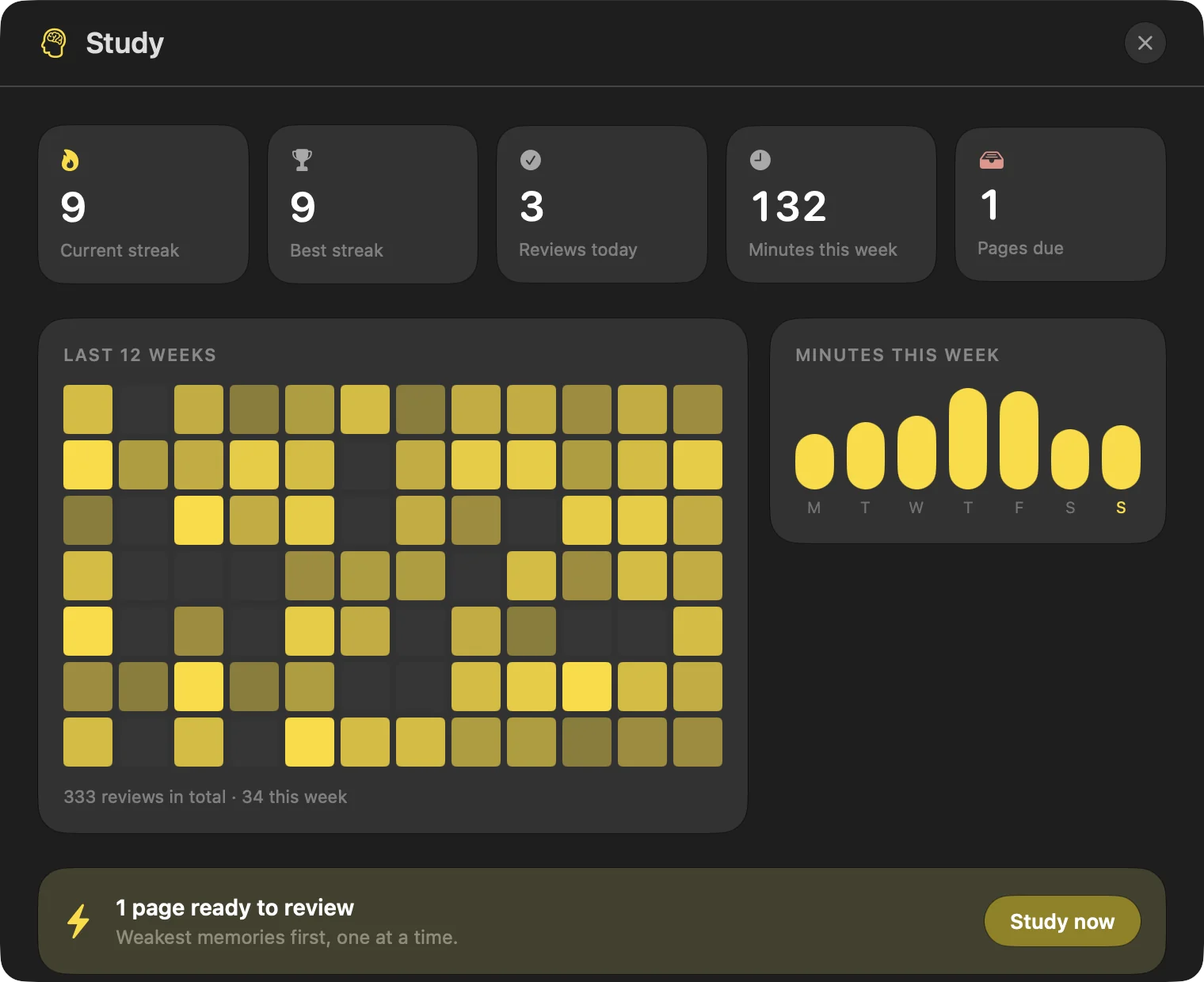
Quizzes you can save and retake, exams, study tasks and calendar integration round it out, all next to the notes the cards came from.
Let your notes write the cards
Try Folio free for 24 hours with every feature. Then it's €5 once: no subscription, no account.
macOS 26 Tahoe or later. First launch: right-click Folio in Applications and choose Open.
Folio vs Anki, honestly
Anki is the reference flashcard app, and for good reason. Here is how the two compare for a student on a Mac.
| Anki | Folio | |
|---|---|---|
| Price | Free on Mac, Windows, Linux and Android; the iPhone and iPad app is a paid one-time purchase | €5 one-time, after a 24-hour free trial |
| Devices | Desktop and mobile, with free sync | Mac only (macOS 26 Tahoe); no cloud sync |
| Where cards come from | You write them, or download shared decks | AI drafts them from your notes, PDFs or highlights |
| Scheduler | FSRS available in recent versions, or classic SM-2 | FSRS |
| Customisation | Huge: note types, card templates, add-ons | Card types, count, difficulty, language, daily limits, exam length |
| Notes and PDFs | Not a note-taking app | Notebooks, pages and annotated PDFs in the same app |
| Learning curve | Steeper; rewarding once set up | Open a notebook and start |
Choose Anki if…
- You want to review on your phone.
- Your course has well-known shared decks.
- You like add-ons and custom card templates.
- You need Windows or Linux, or want it free.
Choose Folio if…
- Your material lives in your notes and PDFs.
- You would rather not type every card.
- You want notes, PDFs and reviews in one place.
- You study on a Mac and Mac-only is fine.
They aren't exclusive either: you can keep Anki for a shared deck and use Folio for your own lecture material.
Tips for spaced repetition that sticks
- Review a little every day. Ten focused minutes beat a two-hour catch-up, and keep the backlog small.
- Understand first, memorise second. Read the chapter or lecture before making cards from it.
- One idea per card. Short, specific questions are easier to recall and to rate honestly.
- Rate honestly. Marking a shaky answer as Good only hides it until the exam.
- Start weeks early. Spacing needs time to space. The night before is too late for it to help much.
Start your first deck tonight
Import a PDF, highlight what matters, generate cards. 24-hour free trial, then €5 once.